Note: this functionality currently requires your either the GDPR or job portal to be active.
If you would like to allow a candidate to access the personal data you store for them, you can generate a secure link and send it to them from the CRM. This link also allows them to re-submit their data if it is incorrect, opt in or out of any communication, as well as request deletion of their data.
Generate a Secure Link
A secure link is like a password reset link: a unique, system generated link that should only be shared with the candidate. It provides the ability for a candidate to opt out or delete their data, and so you should never share it outside of your company and the candidate.
You can preview the data that will be sent to the candidate by navigating to the candidate within the CRM, and finding the chain icon next to their opt-in status:
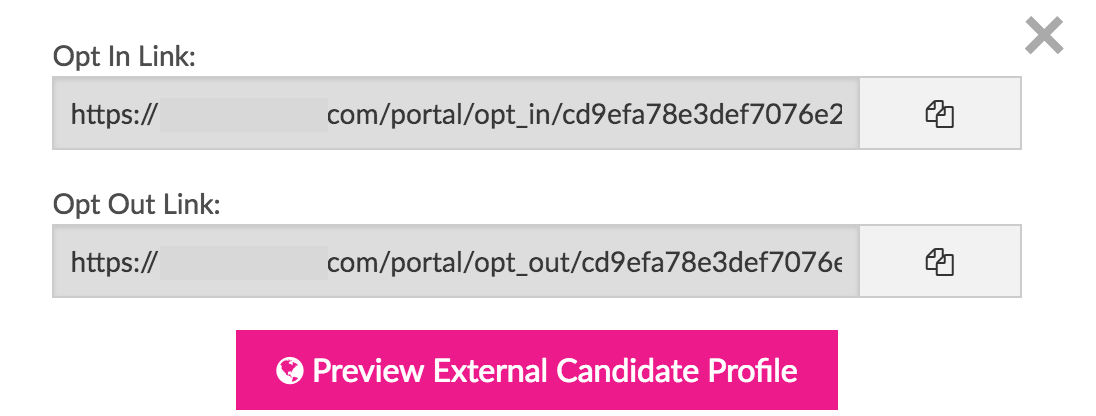
This will open a window for the opt-in/out links and the button to view the candidate preview screen:
If you click the button you’ll see a screen like this:
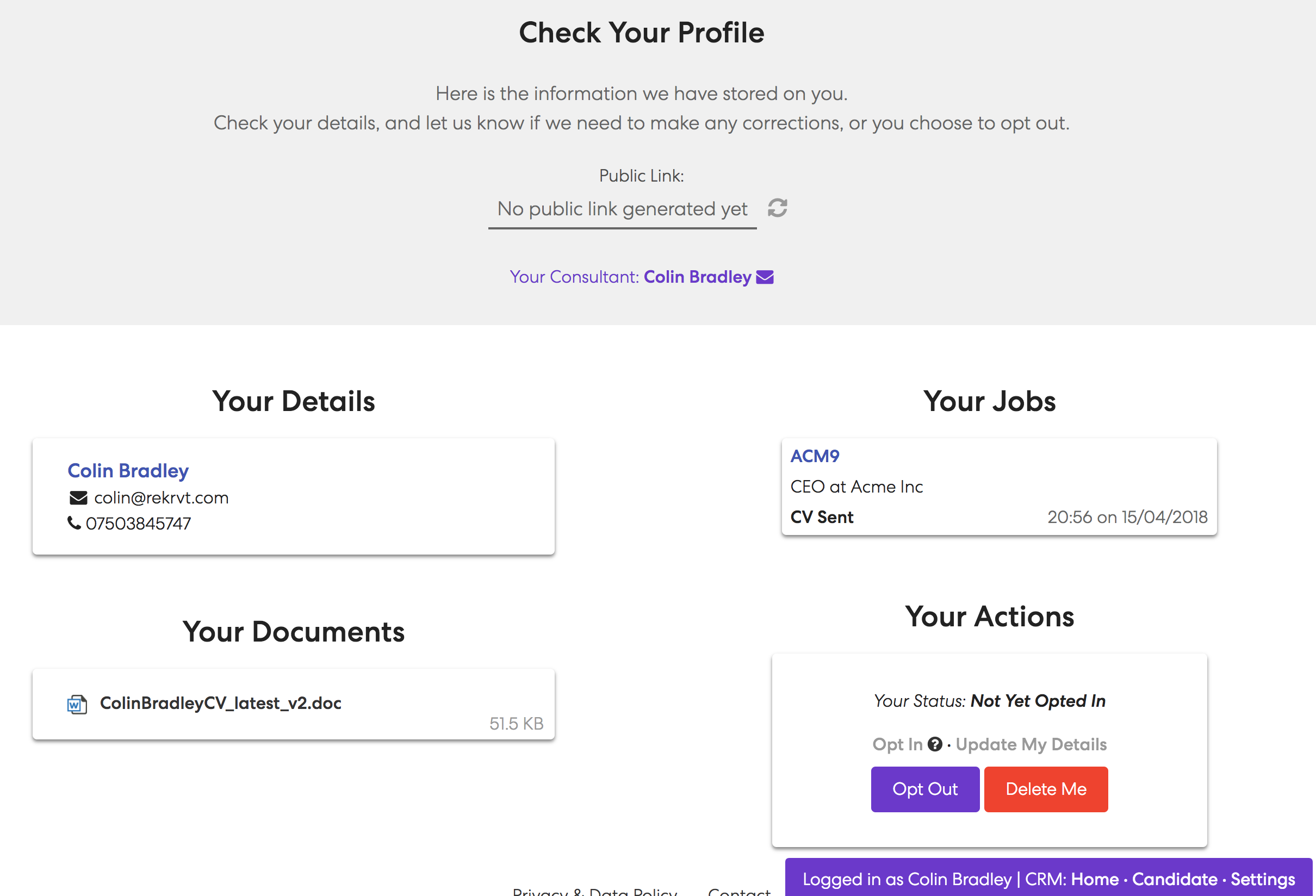
Here you can check all of the information that a candidate will see. If you are happy with all of the data you will be providing, you can click the refresh icon under the public link section:

This generates the secure link – click the copy link to the right to copy the link to the clipboard to send to a candidate. If you need to refresh the link, click the X and click the refresh icon again, but note: if you delete the link, it will revoke access so if you have sent a link to a candidate, this will no longer give them access.
Provide links in bulk
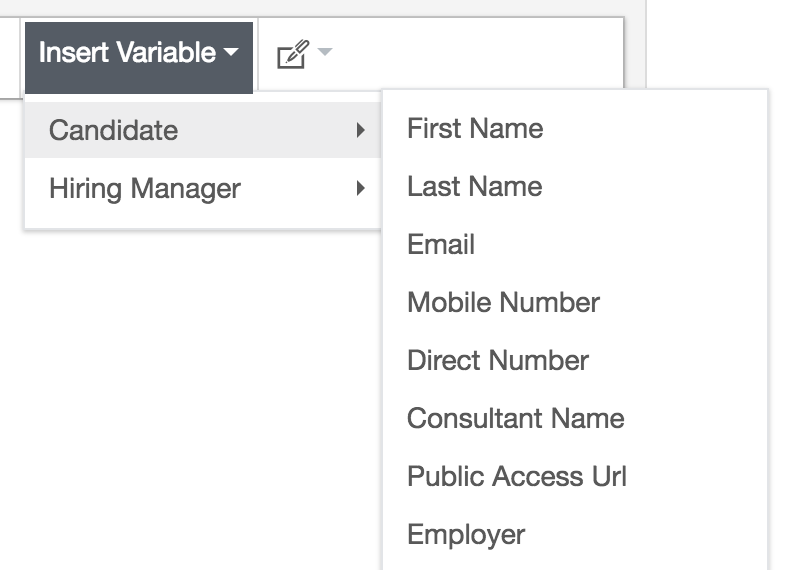
If you want to send public links out to candidates in bulk, you can create a message template that will automatically generate these links – just create a new template and use the Candidate -> Public Access Url variable: