The workflow feature within Octavia CRM is an intuitive, simple and elegant way of tracking your candidates, with as little admin overhead as possible to help ensure that every step is tracked and audited within the system.
There are two simple ways of starting the process:
From a Candidate Page
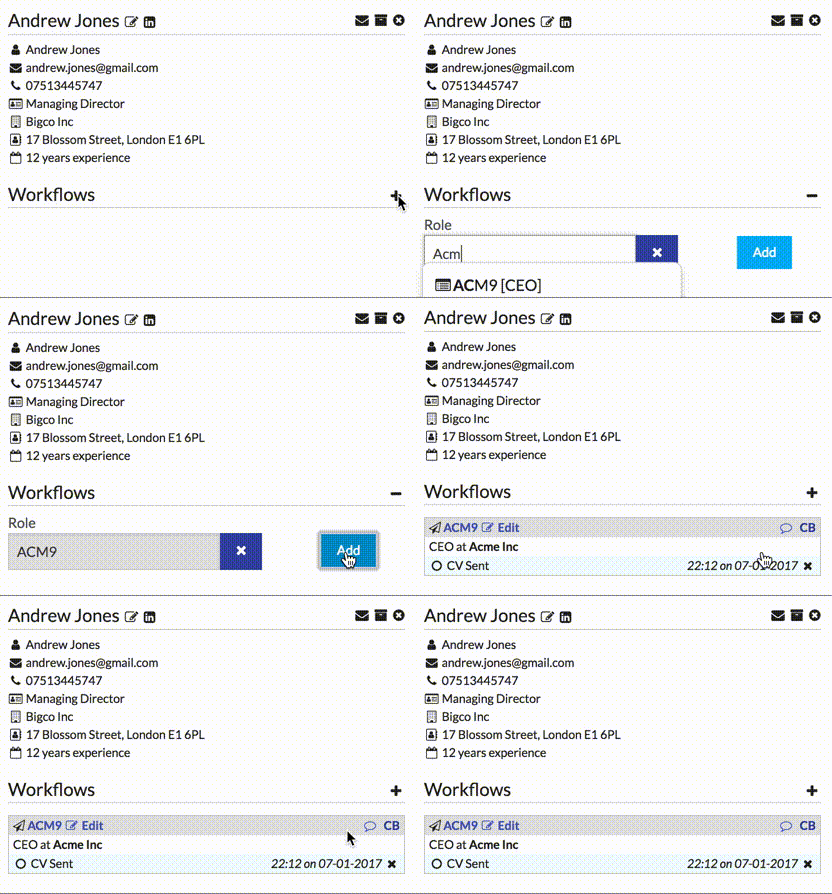
When you are viewing a candidate detail page, click the + next to the Workflows sub-header, and a search box will appear. In this box you can search for either the company name, job title, or role identifier. Matching roles will be shown in the dropdown – select the required role, and click the Add button:
From a Role Page
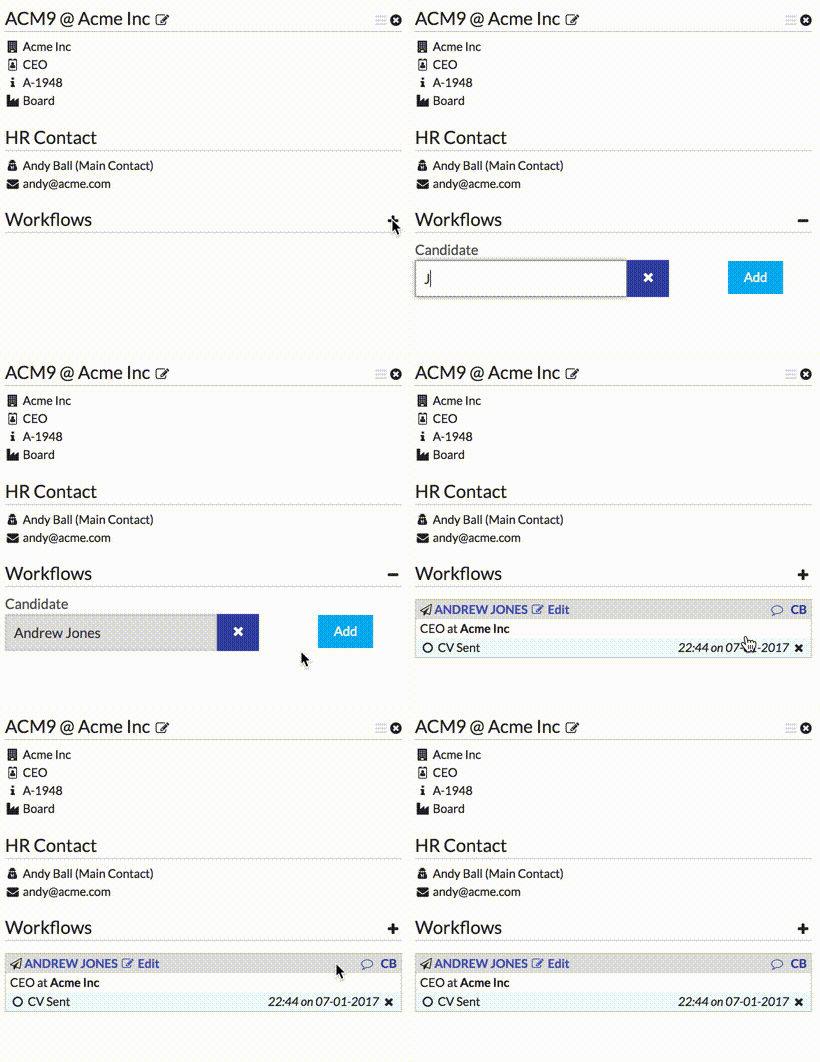
When you are viewing a role detail page, the process is very similar. Once you’ve expanded the form, you simply need to search for the candidate name and click Add: