We’re always looking for ways to optimise your time and minimise the manual work required to manage your data. For this feature, we created a simple way to generate candidates from any CVs you receive in your inbox.
If you have connected your email, you can look at all the attachments you’ve received by opening the messaging centre, by clicking the envelope icon in the top navigation bar:

and selecting the attachments tab.
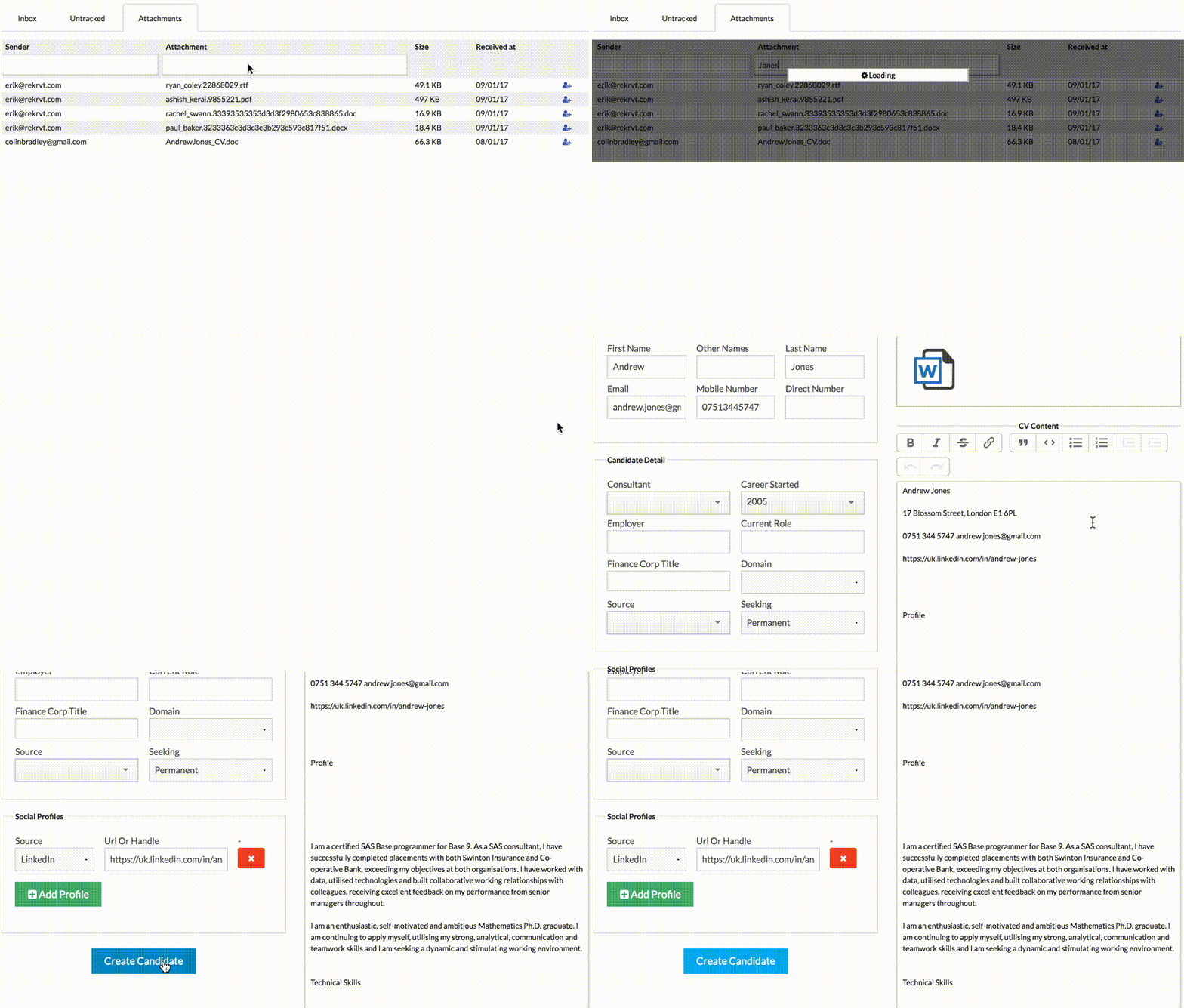
Here you can search through emails with attachments by sender, subject and attachment name – once you find the CV you are looking for, just click the icon to the right, and a new candidate window will open with the CV and the fields that the Octavia parser can find pre-populated:
Note: there is currently an outstanding issue with Outlook integration on messages that have been recently moved; Octavia can’t find the original message and so you won’t be able to import that candidate - if possible, import the candidate before moving the email.