You may need to occasionally clear your CRM session (if we make a breaking change to the login process, or your session gets somehow corrupted). You can clear all of your cookies if you need to (but this will remove all your sessions from all of your other sites), but here’s how (in Chrome) you can just clear the CRM related cookies.
Click the padlock in the browser URL bar:

Click the XX in use link under Cookies:

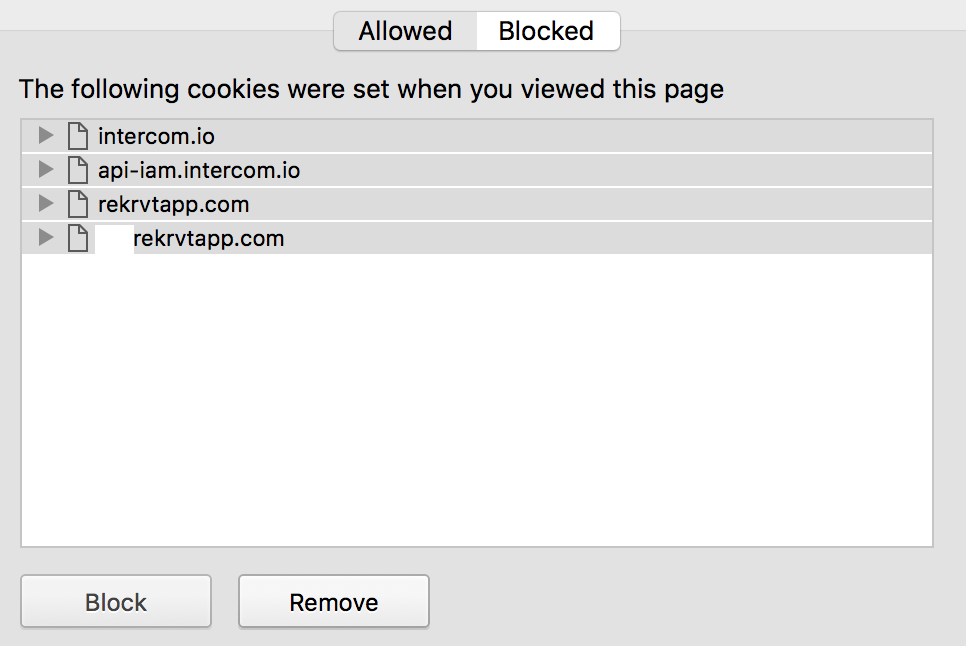
Select all of the entries in the window that opens up – either click the top entry, hold shift and click the bottom, or click into the white pane and press Ctrl-A (or Cmd-A on a mac) – with them all selected, click Remove(don’t click Block, otherwise it will block you from logging in!):
With this done, refresh the page, and it’ll redirect you to the login page and you should be set!